


Dream Piano
4.325.29K Reviews
App Specs
- Version
- 1.86.2
- Updated On
- License
- Free
- Downloads
- 50,000,000+
- Developer
- Tap Lab
- Categories
- Music
- Platform
- Android
Screenshots

 Analysis by AppCompare
I approach Dream Piano as a rhythm game rather than a piano lesson: the pleasure comes from matching taps to a song, seeing how long I can keep the sequence alive, and deciding whether to try again when a run falls short. That makes it an easy game to pick up in a spare moment, though it is not a substitute for learning to play an instrument. The basic appeal is immediate: listen, watch the notes arrive, and tap in time.
Who will enjoy the first few taps
This music game is a natural fit if you like familiar melodies, quick challenges, and controls that take seconds to understand. I can imagine opening it while waiting for a bus or taking a short break: choose a track, focus on the falling tiles, and play until the moment is over. There is no need to know piano notation to understand the central task, so the barrier to entry is low even for someone who has never touched a keyboard.
It is less suitable if your main goal is to learn real piano technique. Tapping game tiles can build timing and attention, but it does not teach hand posture, independent fingering, or how to read sheet music. If those are the skills you want, a structured lesson app or an actual keyboard will be a better choice. I would also steer away if you dislike repeating a song to improve a score; repetition is part of the appeal here, not a side activity.
What the rhythm asks of you
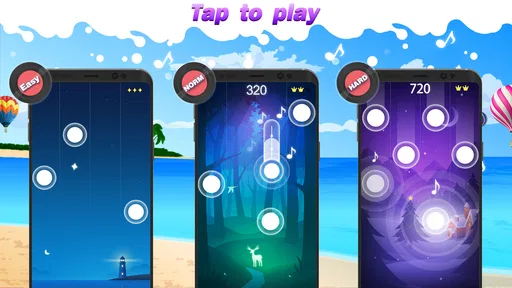
The core loop is easy to describe but gives each attempt a clear focus: follow the notes, tap as they reach their targets, and try not to break the musical flow. A successful passage feels satisfying because your actions seem connected to the tune. A missed note interrupts that feeling and makes the next attempt tempting: you know where attention slipped, and you want to see whether you can hold on longer.
That feedback is also why I would play with the sound on when possible. The audio helps make a run feel like a piece of music rather than a sequence of visual prompts. In a quiet place, it can be part of the experience; in a shared room or on public transport, I would keep the volume considerate or play muted if the controls remain clear to me. The practical trade-off is simple: sound makes the musical feedback richer, while a noisy setting can make concentration harder.
Choosing tracks without turning play into practice homework
The song selection gives the game room to suit different moods, from classical compositions associated with Beethoven and Chopin to contemporary pop. I would start with a track whose melody I recognize, because familiarity makes it easier to notice how the tile pattern follows the music. After that, trying a less familiar piece can keep the challenge fresh rather than making every session feel like score-chasing.
Difficulty ratings help set expectations, but they are best treated as a starting point rather than a promise that every track will feel equally easy. A song that sounds simple may still demand quick, attentive tapping, while a more demanding selection can be enjoyable once you have settled into the timing. My practical tip is to switch tracks when repeated attempts stop feeling informative. A change of melody gives your attention a reset, and you can return to the tougher song later with less frustration.
Worth Reading Before You Choose

Flipboard Shows What News Apps Must Do Beyond the Feed

Switching to Android Auto Means Rethinking Your Driving Routine

Google Calendar Makes a Crowded Week Easier to Manage

Ludo King Makes the Most of the Minutes Between Plans

Baby Panda World Brings Quick Play to Modern Phones, but Its Game Library Feels Busy

ESPN’s Live Game View Makes Following Close Games Easier
How the reward loop holds up
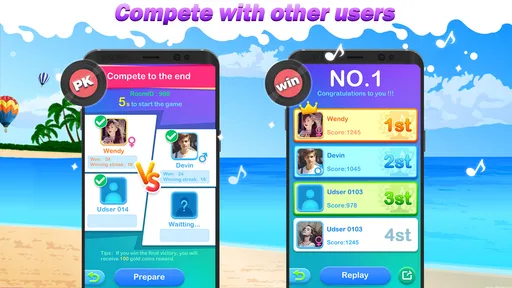
There is more than one reason to make another attempt. Getting through a section cleanly is its own small reward, while the leaderboard gives score-minded players a reason to compare results and chase a better position. Daily challenges and coin rewards add another goal, with coins used to unlock songs. That mix can make a short play session feel purposeful, especially when you want a target beyond simply passing the time.
There is a trade-off: reward systems can encourage one more run even when you meant to stop. I find that useful when I want a light, focused distraction, but less appealing if I am trying to keep a break genuinely brief. Setting a simple limit—one challenge or a few attempts—helps keep the game in its place. Players who enjoy personal improvement will likely appreciate the loop more than those who want a story or a long-form campaign.
When the session needs a reset
Because a song attempt has a clear beginning and end, it is easy to put the game down between runs. If a mistake breaks your concentration, restarting with a different track can feel better than immediately repeating the same passage. That is a small but useful way to avoid turning a casual music game into a test of patience. It also makes the game convenient for short gaps in the day, rather than something that demands a long, uninterrupted block of time.
Ads between songs can interrupt that rhythm, and unlocking some tracks may take patience or involve an in-app purchase. The game is free to download, with optional purchases priced from $2.99 to $29.99 per item. I would treat spending as a convenience, not a requirement for enjoying the basic tapping loop. If you are sensitive to interruptions, the breaks between attempts may bother you more than the actual gameplay; if you are comfortable earning access gradually, the unlock process is easier to accept.
For comparison, a conventional piano-learning app usually puts instruction, technique, and deliberate progression first. A standard rhythm game may focus more on scoring and reflexes, while this one connects those quick reactions to recognizable music and song selection. That middle ground is its strength, but it also defines its limits: it can make music feel playful without giving you the depth of a lesson tool or the broader systems of a more elaborate rhythm title.
In everyday use, I would keep it as a low-commitment option for a commute, a waiting room, or a quiet break when I want to focus on a tune for a few minutes. It is particularly appealing for casual players who like music but do not want to set up an instrument or learn formal notation. On the other hand, someone seeking uninterrupted play, detailed musical instruction, or a progression built around more than songs and scores may be happier elsewhere.
Tap Lab’s game has an average rating of 4.3 from around 681,000 ratings, and it has been installed over 50 million times. It is rated Everyone, so it is broadly accessible, and the current version is 1.86.2 for devices running Android 5.0 or later. Those details fit its approachable, pick-up-and-play nature, although the best way to judge whether its timing suits you is to try a few tracks and see whether the tap-and-retry loop feels satisfying.
Getting Started with Dream Piano
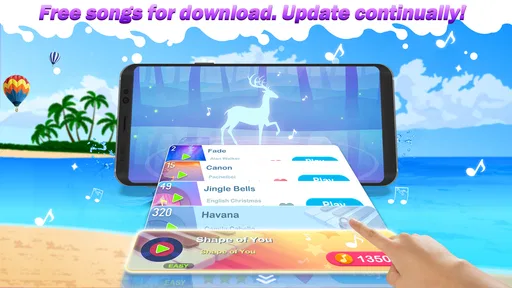
Jumping into the world of Dream Piano is as easy as pie. Once you download it from the app store, you'll be met with a user-friendly interface that even my grandma could navigate. The app opens up with a cheerful melody, instantly setting the mood. You can dive straight into playing or explore the song library, which, trust me, is pretty extensive.
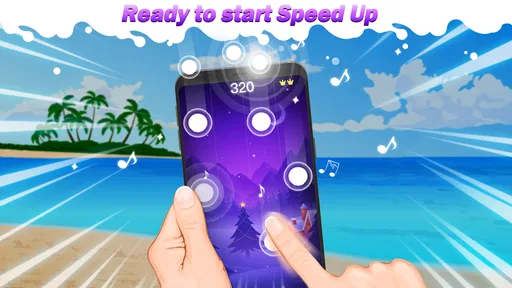
The game’s mechanics are straightforward yet addictive. Your screen fills with a cascade of tiles, each representing a note. Your job? Tap them in rhythm to keep the music flowing. Miss a note, and it’s like hitting a sour chord in a concert—ouch! But don’t worry, practice makes perfect, and the app is all about helping you improve.
A World of Music at Your Fingertips
What I love about Dream Piano is the sheer variety of music on offer. From classical masterpieces by Beethoven and Chopin to modern hits from pop artists, the library is like a musical buffet. You can select genres that match your mood or challenge yourself with something entirely new. Each song is rated by difficulty, so whether you’re a beginner or a piano prodigy, there’s something for everyone.
The app also includes a leaderboard, and let me tell you, it gets competitive! There's nothing like the thrill of seeing your name climb up the ranks after nailing a particularly tricky piece. It adds an extra layer of excitement and keeps you coming back for more.
Features That Hit the Right Note
One of the standout features of Dream Piano is its dynamic sound quality. The audio is crisp and clear, making you feel like you're playing a real piano. There's an option to adjust the sound to your liking, whether you prefer it loud and grand or soft and subtle.
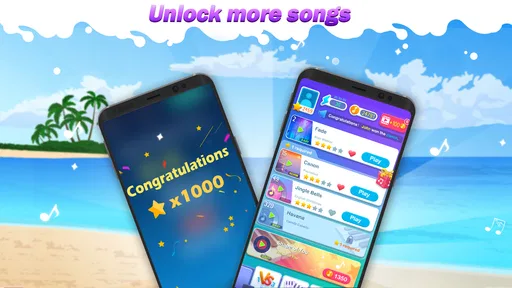
The app also offers daily challenges and rewards, which are a great way to keep your skills sharp. Completing these challenges not only boosts your confidence but also helps you earn coins, which can be used to unlock more songs. It's a clever incentive to keep players engaged and motivated.
Room for Improvement
While Dream Piano is a fantastic app, it's not without its quirks. Occasionally, there are ads that pop up between songs. They're not overly intrusive, but they can disrupt the flow if you're in the zone. However, there’s an option for an ad-free experience if you’re willing to shell out a few bucks.
Another thing I noticed is that some songs require a bit of grinding to unlock unless you're ready to make an in-app purchase. It’s not a deal-breaker, but something to keep in mind if patience isn't your virtue.
Final Thoughts
Overall, Dream Piano is a delightful experience for anyone with a love for music. Whether you’re a seasoned pianist or just tapping out your first notes, the app offers a fun and engaging way to enjoy your favorite tunes. It's like having a mini concert in your pocket, anytime and anywhere.
If you're looking for a way to relax, challenge yourself, or just have some fun, give Dream Piano a go. I promise, it's worth every tap!
Pros
- User-friendly interface with intuitive controls.
- Wide variety of songs to choose from.
- Regular updates with new content.
- Offline mode available for uninterrupted play.
- Visually appealing graphics and animations.
Cons
- Ads can be intrusive during gameplay.
- Some features require in-app purchases.
- Occasional lag on older devices.
- Limited customization options for themes.
- No multiplayer mode available.
FAQs for Dream Piano
Is Dream Piano free to play?
Yes, Dream Piano is free to download and play. However, it offers in-app purchases for various items and features that can enhance your gaming experience. These might include unlocking specific songs, removing ads, or accessing premium content. Be sure to check the in-app purchase options if you want to enhance your play.
What are the system requirements for Dream Piano?
Dream Piano is available on both Android and iOS platforms. For Android users, a device running Android 4.1 or later is recommended. iOS users should have iOS 9.0 or later. Ensure your device meets these requirements for optimal performance and gameplay experience.
Are there any ads in Dream Piano?
Yes, Dream Piano contains ads, which help keep the app free for users. Ads may appear between songs or during gameplay. If you find the ads intrusive, there is an option to remove them via an in-app purchase. This can provide a smoother, uninterrupted gaming experience.
Can I play Dream Piano offline?
Dream Piano can be played offline, allowing you to enjoy your favorite songs without an internet connection. However, some features, like downloading new songs or accessing certain premium content, may require an internet connection. It's advisable to check for updates or new content when you are online.
How often is new content added to Dream Piano?
The developers of Dream Piano regularly update the app with new songs and features. While there is no fixed schedule for updates, you can expect fresh content periodically. Enable notifications to stay informed about the latest additions and ensure you have the most up-to-date version of the app.


